Google business profile after construction: why the Shadelands/Wiget project changes what customers see
Google business profile after construction is the fix for a problem most Walnut Creek businesses won’t notice until a customer calls from the wrong side of the building. The Shadelands/Wiget green infrastructure project is officially complete, and the street you knew before the work started isn’t the street that’s there now. Curbs moved, crosswalks shifted, planters went in where delivery trucks used to idle. If your listing still shows the old entrance or the old parking lot, you’re sending people to a version of your block that no longer exists.
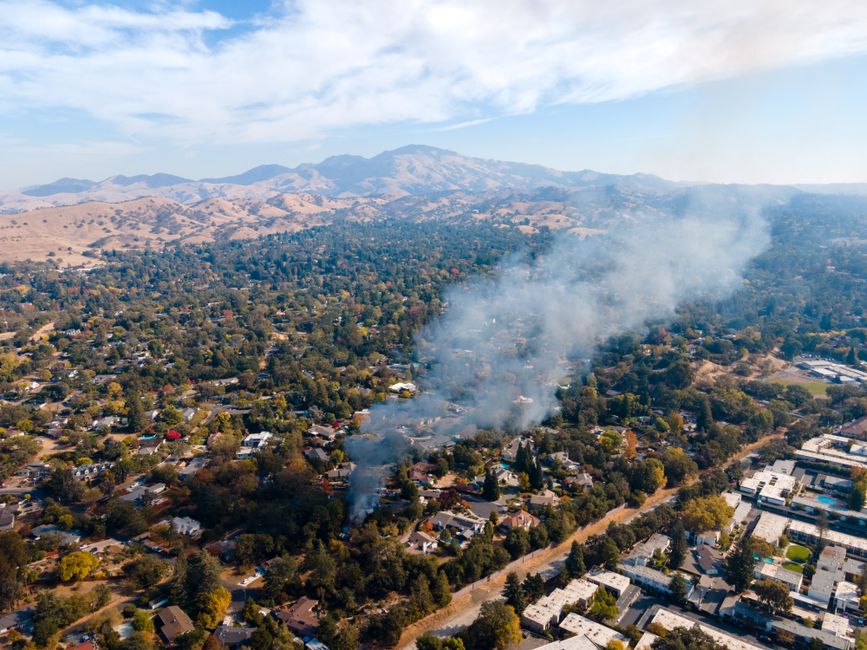
Walnut Creek’s published agenda packet for the August meeting sets this out: the project added green infrastructure along the corridor, which in practice means stormwater planters, curb extensions, and reconfigured parking where the street used to run straight. What that means for you is simple. The photo on your Google listing, the pin on the map, the directions Google gives a first-time visitor: all of it was built for the old block.
Walk the block before you touch the listing
Don’t open your Google Business Profile dashboard yet. Put your phone in your pocket and walk the block the way a customer would. Start at the corner the map sends people to, then walk toward your front door. Look for three things that construction projects like this one change without anyone announcing it.
- Entrance. Did a curb extension push the main door farther from the drop-off point? Is there a new planter between the sidewalk and your sign? A customer following the old photo will walk past you.
- Parking. Green infrastructure often removes a few street spaces to make room for planters. If your listing says “street parking available” and the nearest legal spot is now a block away, that’s a broken promise.
- Sightlines. New landscaping can block the view of your sign from the main road. If drivers can’t see you until they’re past the driveway, they’ll circle the block or give up.
Take photos while you walk. Not the polished marketing shots. Photos of the actual corner, the actual crosswalk, the actual view from a car window. These are what belong on your profile now, because they show the block as it is, not as it was.

What to change in your Google Business Profile
Once you’ve walked the block, the updates are specific. Start with the photos: replace the primary photo if it shows the old street. Add two or three new ones from the walk. Google prioritizes recent photos in local results, and a photo taken this week of the new curb outside your door tells a customer more than a five-year-old shot of a clean sidewalk.
Then fix the description. If it says “entrance on Wiget Lane” and the new curb extension moved the pedestrian flow to the other side, say so. If parking changed, say where the nearest public lot is. Don’t write a paragraph. Write the two sentences a confused customer needs: which door to use, and where to leave the car.
Check the map pin while you’re in there. Construction sometimes shifts the building’s official address point, especially if the city reconfigured the street numbering. If the pin sits on the wrong side of the building, customers will end up in the alley behind you. Move it to the actual front door, then verify with a test search on your own phone.
This is the same discipline we apply to digital operations for local businesses: the listing is only as good as the block it describes. If the block changed, the listing has to change with it.
Why this matters more in Walnut Creek right now
Walnut Creek businesses compete on convenience. A customer choosing between you and a place two blocks away will pick the one that’s easier to reach. If your listing sends them to a parking spot that no longer exists, they’ll go to the other place. Not because your product is worse, but because the map lied to them.
The Shadelands/Wiget project is done, but the street won’t stay static. More green infrastructure projects are in the city’s pipeline, and each one will shift curbs, parking, and sightlines somewhere. The habit to build is this: after any street work near your business, walk the block and check the listing. It’s a fifteen-minute task that prevents a season of lost customers.

What we do when a client’s block changes
When a client tells us construction finished near their building, we don’t start with the dashboard. We start with the walk. One of us goes to the block, takes the same route a customer would, and photographs what’s actually there. Then we sit down with the listing and compare. Every photo that shows the old street gets flagged. Every sentence in the description that describes a parking situation that no longer exists gets rewritten. The map pin gets checked against the real front door.
Then we update the profile and watch the search results for a few weeks. If customers still call asking where to park, we adjust again. It’s not a one-time fix. It’s a process that keeps the listing honest as the street keeps changing.
If you want help with this after the Shadelands/Wiget work, or before the next project breaks ground, get in touch with us. We’ll walk the block with you and get the listing right.
What’s the one thing on your block that changed most after construction: the parking, the entrance, or the sightlines?
Related: Check Your Block in Walnut Creek’s ADA Sidewalk Plan
About this article. This is general information and our own opinion, written from how we run operations for owners and businesses in Contra Costa County. It is not legal, tax, accounting, financial or other professional advice, it is not a recommendation to take or avoid any action, and it is not a substitute for advice about your own property, tenancy or business. CAO Investment Group is not a law firm, and reading this does not create an attorney-client or any other professional relationship. Local ordinances, fee schedules, forms, thresholds and deadlines change often and differ from city to city within Contra Costa County — anything here may be out of date by the time you read it, including as of the publication date shown above. Verify anything you plan to rely on against the current rules published by your own city or county, and speak to a qualified attorney, CPA or licensed professional about your specific situation before you act. This article refers to material published at this source, which we do not control and which may have changed or been withdrawn since we wrote about it; our description of it is our own reading, not the source speaking. We make no warranty that this information is current, complete or accurate, and we accept no liability for any action taken or not taken on the basis of it.